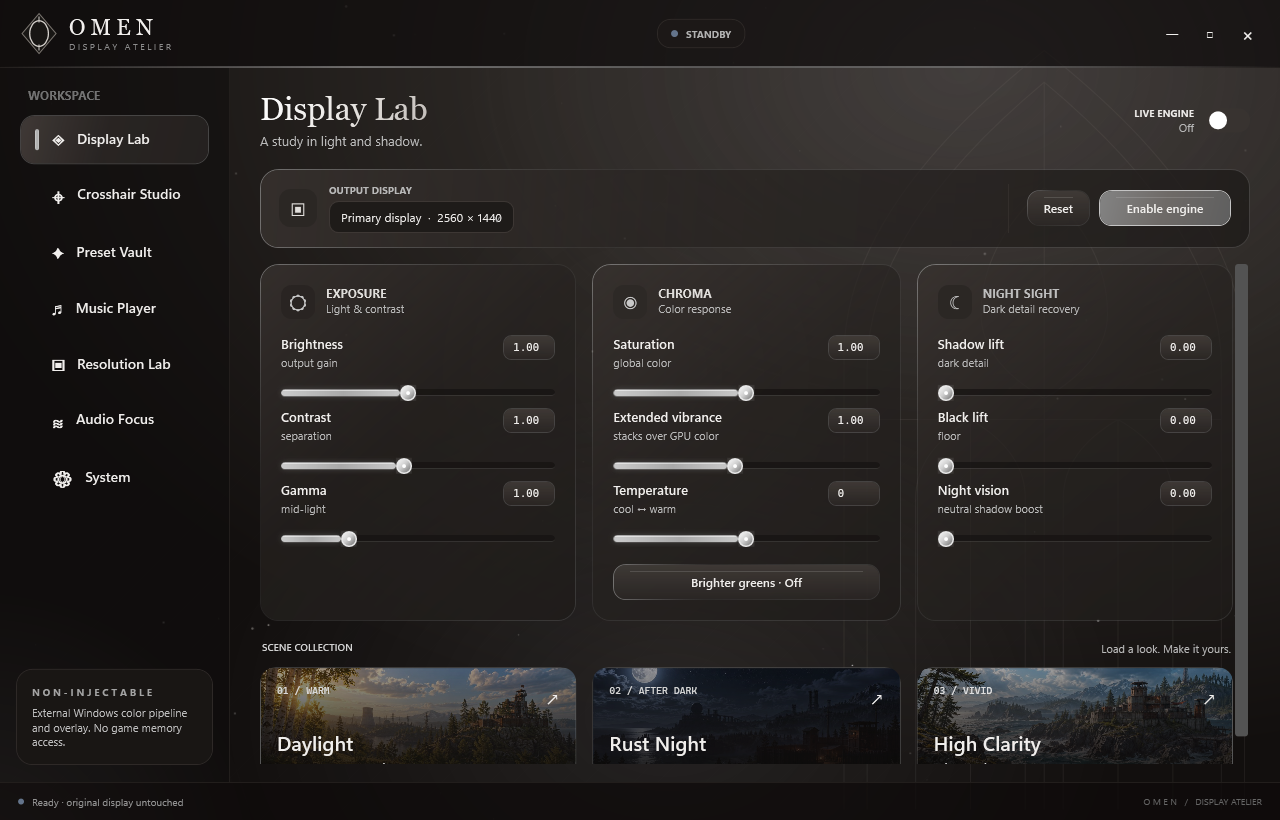
Familiar controls. A setup that feels like you. Everything starts with one considered workspace.
PROJECT OMEN− □ ×
01 / DISPLAY LABCOLOR, UNDER YOUR CONTROL
Real captures from the upcoming Omen 2.11.5 build. The download below remains the current public 2.11.3 release while the update is tested. Choose a page above to see its interface.
Personal presets Custom resolution shortcuts Independent crosshair arms No game-file edits
02 / SET THE TONE
Every detail. On your terms.
Not everybody sees the same way. Your settings shouldn't have to, either.
OMEN CURVE PREVIEWOMEN
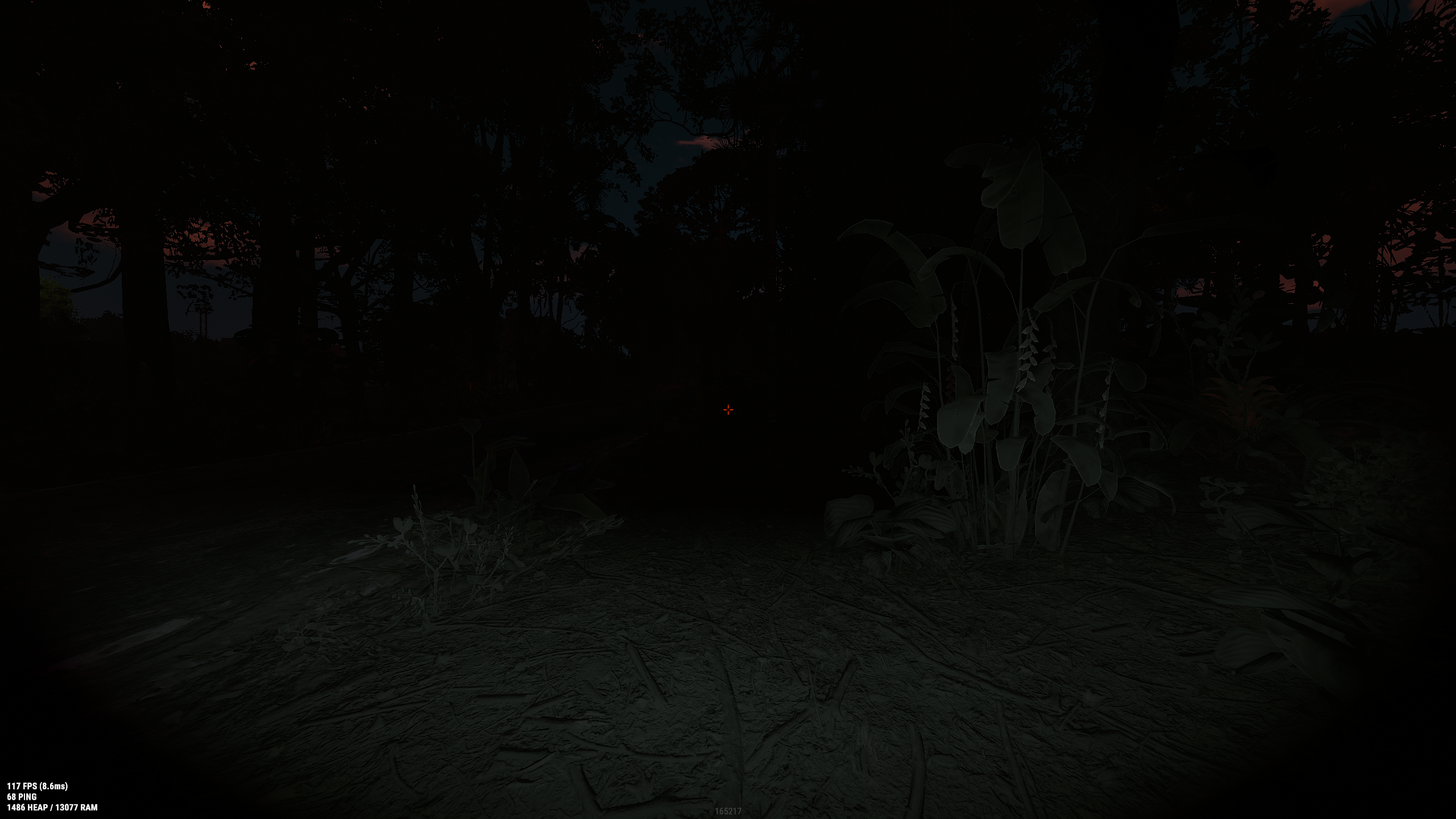
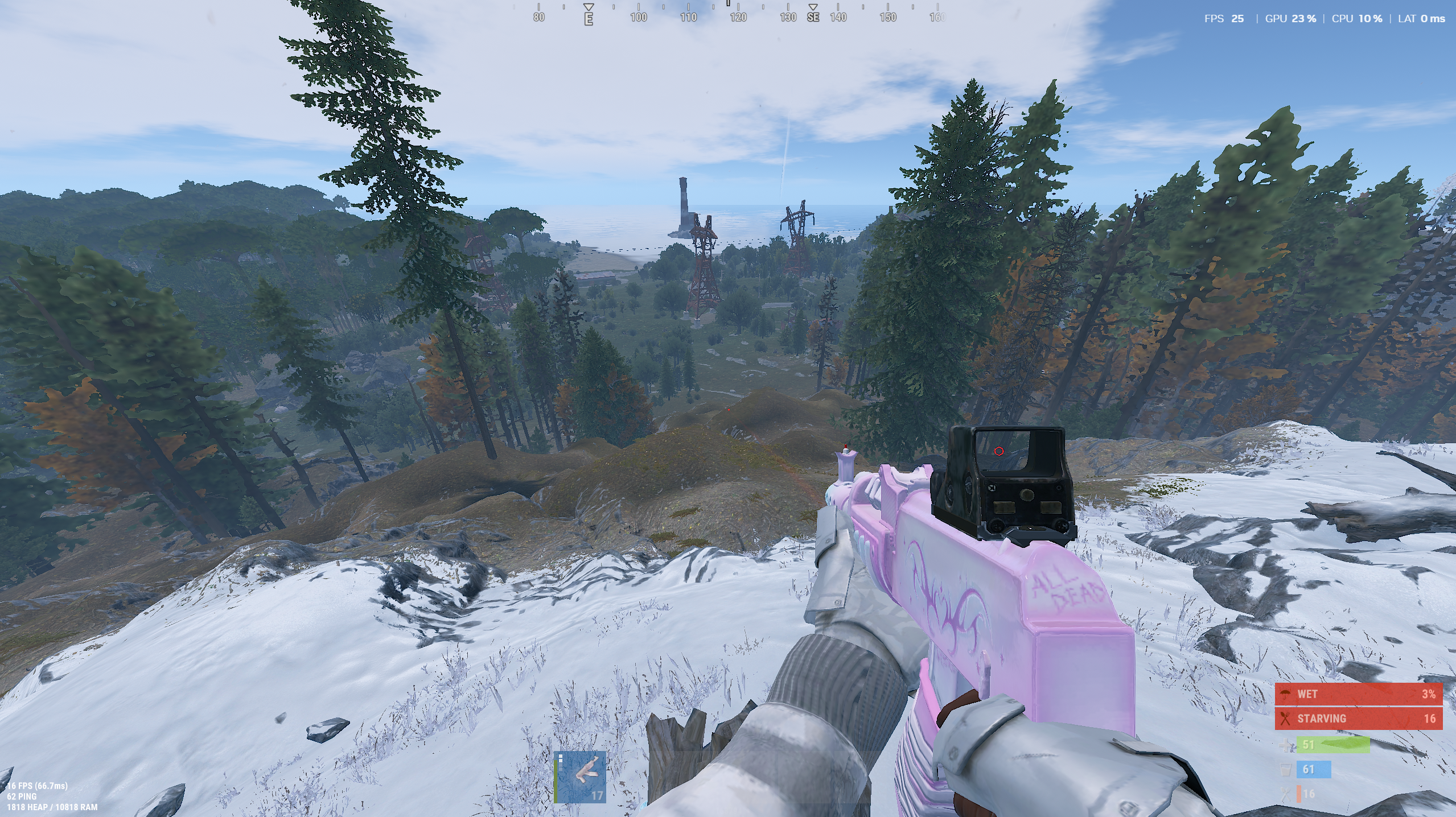
Browser simulation on a Rust screenshot, not live gameplay. Your display and driver affect actual results.
THE APP'S DISPLAY CONTROLS
Lift the dark. Keep the detail.
Try Omen's gamma, night vision, and temperature on this Rust scene.
Rust Night sets gamma to the app's maximum: 2.50. Night vision lifts low signals while keeping black and white endpoints intact. It cannot recover detail missing from the image.
A closer look at Omen 2.11.5, currently in release testing. Explore the tools planned for the next public build.
01 / DISPLAY
Shape the picture.
Brightness and contrast
Hardware gamma adjustment
Saturation and extended vibrance
Warm-to-cool color temperature
Shadow lift and black lift
Night-visibility adjustment
Monitor selection for hardware gamma
Enable, disable, and reset the display engine
Color-matrix effects are global. Hardware gamma targets the selected monitor; support depends on your display and driver.
02 / CROSSHAIR
Make your mark.
Primary and secondary ADS crosshair profiles
Classic, Dot, Ring, T-shape, and Hybrid shapes
Independently adjust top, right, bottom, and left arm lengths; zero hides an arm
Thickness, center gap, center dot, and glow
Separate fill and outline color wheels
Outline width and crosshair opacity
Right-mouse opacity fade or profile switching
Live crosshair preview
Click-to-place position editing and wheel-to-resize
Click-through overlay after editing
03 / PRESETS
A starting point. Not a limit.
Neutral, Daylight, Rust Night, Extreme Vision, and Clarity starting looks
Fine-tune the sliders after loading any preset
Save personal display looks with your own names
Record a supported global key combination for each look
Press once to apply and enable the engine, again to restore the original display, and again to reapply
Stay in the Preset Vault when applying a look
04 / PERSONALIZE
Your own atmosphere.
Neutral ambient background by default
Import a local image, animated GIF, or video
Pause playback or restore the ambient default
Adjust background dimming
Save display, crosshair, audio, and background preferences
Background media releases when the app is inactive or minimized
Choose whether Omen opens with Windows
Choose whether it stays active in the notification area when closed
Imported media is copied into Omen's local data folder. Playback depends on Windows codec support. Startup and close-to-tray are off by default.
05 / CONTROLS
Stay in control.
F8 toggles crosshair visibility
F9 opens crosshair position editing; Esc finishes
Ctrl + Shift + 0 restores display colors
F7 remains available to Rust
Record supported key combinations for saved display and resolution presets
Engines start disabled until you enable them
Original display state restored when the engine is disabled
Email-linked key activation and Player ID
External Windows display processing; no game-memory access
External operation is not an anti-cheat approval or a ban guarantee. Check the rules of the games and servers you use.
06 / MUSIC & MEDIA
Your music. Your way.
Choose YouTube Music, Spotify, Pandora, or SoundCloud
Browse in Omen or open a service in your browser if it blocks embedded sign-in
Search, Back, Home, and Unload where supported
Import local MP3 and WAV files or a direct HTTPS audio link
Saved offline library with play, pause, previous, next, and seek
Saved volume and automatic next-track playback
Streaming services keep their own account requirements, ads, and restrictions. The offline library does not convert streaming links to MP3.
07 / RESOLUTION LAB
Fit your display.
Browse resolution and refresh modes reported by each monitor
Try a mode with a 15-second confirmation and automatic revert
Rust starting points include 1440 × 1080, 1728 × 1080, and 1280 × 960 where supported
Save or delete custom width, height, and refresh-rate presets
Assign a supported hotkey to a saved resolution
Copy a Rust fps.limit command for the in-game console
Omen cannot create a mode unsupported by your display driver. Stretching versus black bars depends on GPU scaling.
08 / AUDIO FOCUS · BETA
Hear the details.
Loud Footsteps option remembers its on/off choice and threshold
Driver-free mode compresses peaks on the current default output
Optional advanced Rust route through VB-CABLE
Separate focus controls and a Rust Focus starting preset
Restore the pre-effect master volume when the mode stops
Driver-free compression affects every sound on the default output, including music and chat. Start at a comfortable volume.
No matching features.
Try another search or choose a different category.
Capabilities depend on your Windows setup, monitor, graphics driver, audio devices, and streaming-service restrictions.
04 / BUILT DIFFERENTLY
A LIGHTER TOUCH
Works around your game. Not inside it.
Omen uses Windows display controls and an external crosshair overlay. Your game files stay yours.
01GAMEMEMORY NOT READ
→
02GPUNO HOOKS
→
03OMENCOLOR APPLIED
→
04DISPLAYFINAL SIGNAL
External by design.
No game-memory access, game-file edits, or process injection.
Quiet when you're away.
Background video decoding pauses when Omen is inactive or minimized.
Always a way back.
Restore display colors with Ctrl + Shift + 0 or disable the engine.
Real performance depends on your setup. Active background media and music use additional resources. Current-release RAM, CPU, and FPS benchmarks are not yet published.
STRAIGHT ANSWERS
Before you install.
Does Omen work with Rust?
Omen is designed around a Rust-focused setup. Use Borderless mode for the external crosshair overlay. Display effects depend on your monitor, graphics driver, and game mode. Hardware gamma targets the selected monitor; color-matrix effects are global.
Is Omen approved by anti-cheat providers?
Omen does not inject into games or read game memory. That is not an anti-cheat approval or a guarantee against bans. Always check the rules of your game and server before using an overlay or display utility.
Why does memory use change?
Background video and the embedded music player need memory while active. Omen pauses background-video decoding when inactive or minimized. Minimize the app after choosing your settings, and unload the music player when you do not need it.
Can I move Omen to another PC?
Access is linked to one Windows installation at a time. Verify your email and unlink the current PC from your account before signing in on a new one. Self-service changes are limited to once every seven days.
Does the music player remove ads?
No. YouTube Music keeps its own ads, account requirements, and service restrictions. Omen also supports your own local MP3 and WAV files. It does not convert YouTube songs into MP3 downloads.
How do I verify my download?
The download page assembles the executable and checks its SHA-256 against the expected release fingerprint. A matching fingerprint confirms file integrity; it is not a malware-scan or code-signing certificate.
05 / MAKE IT YOURS
SIMPLE OPTIONS. YOUR CHOICE.
Your setup. Your way in.
Compare Monthly, Lifetime, and Free Trial access. Sign in with your email to purchase or manage your plan.
Checkout is not open yet. You can still request a free key below.
MONTHLY
$3.99
USD per month. Renews automatically until canceled. Taxes, if any, are shown at checkout.
Omen access on one linked PC
Advance renewal email reminders
Manage or cancel from your account
No payment can be submitted from this page yet.
LIFETIME
ONE-TIME
$15.99
USD one-time purchase. No automatic renewal. Taxes, if any, are shown at checkout.
Access attached to your verified email
No recurring charge
Receipt and billing details in your account
No payment can be submitted from this page yet.
FREE TRIAL
LIMITED ACCESS
FREE
Try Omen's essential display tools before choosing a paid plan.
Saturation control up to 300%
Resolution and refresh-rate controls
HDR and stretched 4:3 presets
Start free trial→
No payment method required. Free access requests are reviewed before activation.
06 / YOUR ACCOUNT
A PLACE FOR EVERYTHING.
Welcome back.
Sign in with an email code, Google, or Discord to manage your access, subscription, and linked PC.
Passwordless email sign-in Manage your linked PC Billing in your control
ACCOUNT SIGN-INONE-TIME CODE
Checking sign-in availability…
or continue with
Email sign-in is always available.
Signed in as
SUBSCRIPTION
Checking your plan…
MONTHLY
RECURRING
$3.99 USD / month
Renews monthly until canceled.
LIFETIME
ONE-TIME
$15.99 USD once
One payment. No recurring renewal.
FREE TRIAL
LIMITED ACCESS
FREE NO PAYMENT METHOD
Includes Saturation up to 300%, resolution and refresh-rate controls, HDR, and stretched 4:3 presets.
Submit the email you will use in Omen. Hellborn reviews every request personally. If approved, your 12-character key and Player ID are delivered automatically by email.
Omen access is personal and linked to one Windows installation at a time. You can unlink a PC from your account after verifying your email; self-service changes are limited to once every seven days. The $3.99 USD monthly plan renews automatically until canceled; manage or cancel from your account before the next renewal. The $15.99 USD lifetime option is a one-time purchase and does not renew. Applicable taxes and the total charge appear at checkout. Do not resell, share, reverse engineer, or use Omen to violate a game’s or platform’s rules.
The public release is one self-contained Windows x64 executable with no ZIP extraction. Embedded YouTube Music requires Microsoft Edge WebView2. Only download Omen from Hellbornvisuals.
PRIVACY / SUMMARY
Hellbornvisuals stores your verified email, sign-in challenge and session hashes, optional Discord name, Player ID, a hash derived from your Windows installation identifier, device-link change history, access activity, subscription status, and renewal-notice history. Stripe handles payment details; Omen does not collect card numbers. Legacy license keys are stored only as hashes.